
Share from Other Apps
If the photo is already in your phone gallery or another app, this can be the easiest path.
You can share it straight into the
InkJoy Frame APP, then decide whether to send it to the frame right away or keep it in Personal Gallery for later.
How it works
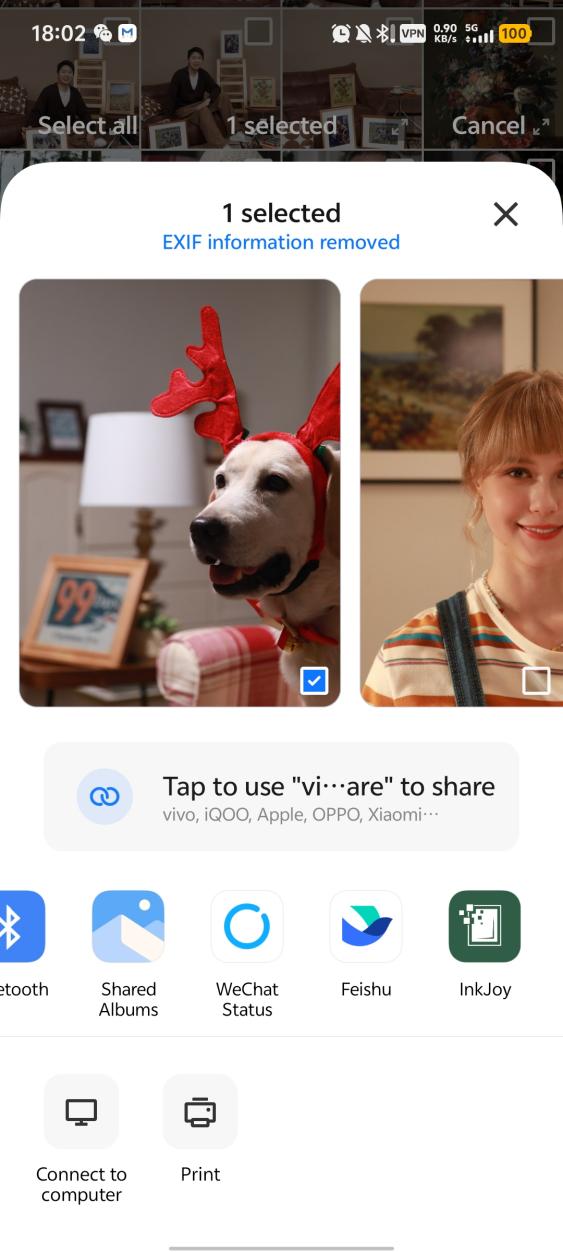
- Select the photo you want to send in your phone gallery or another app.
- Use the system share action and share the image to the
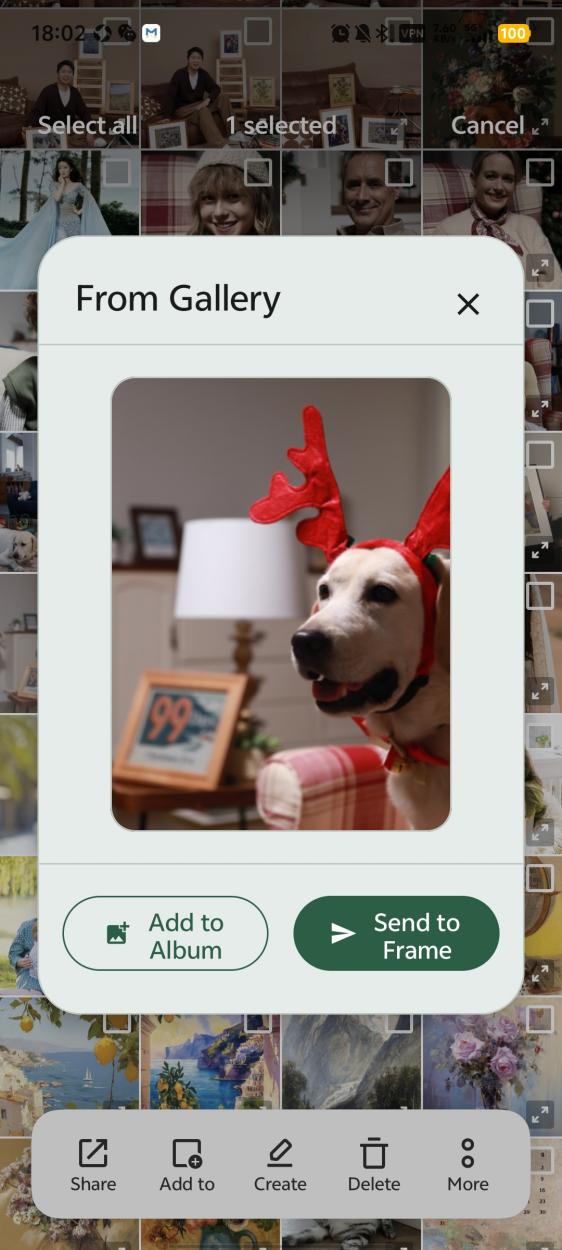
InkJoy Frame APP. - In the
APP, choose one of these actions:- Send directly to the frame
- Add the image to Personal Gallery (
iOSsupport is still in development)
When to use this feature
- The image is already in your phone gallery or another app
- You want to share different photos quickly, one after another
- You want to save reusable photos into Personal Gallery for later use