
Gallery Slideshow
If you want
InkJoy Frameto show more than one image, tryGallery Slideshow.It can make everyday use feel fresher by rotating different content over time.
Whether the content comes from Explore or Personal Gallery, you can use this page to set up automatic playback.
How to open it
- Open Explore or Personal Gallery.
- Tap
Sendin the top-right corner. - Enter the album slideshow settings page.
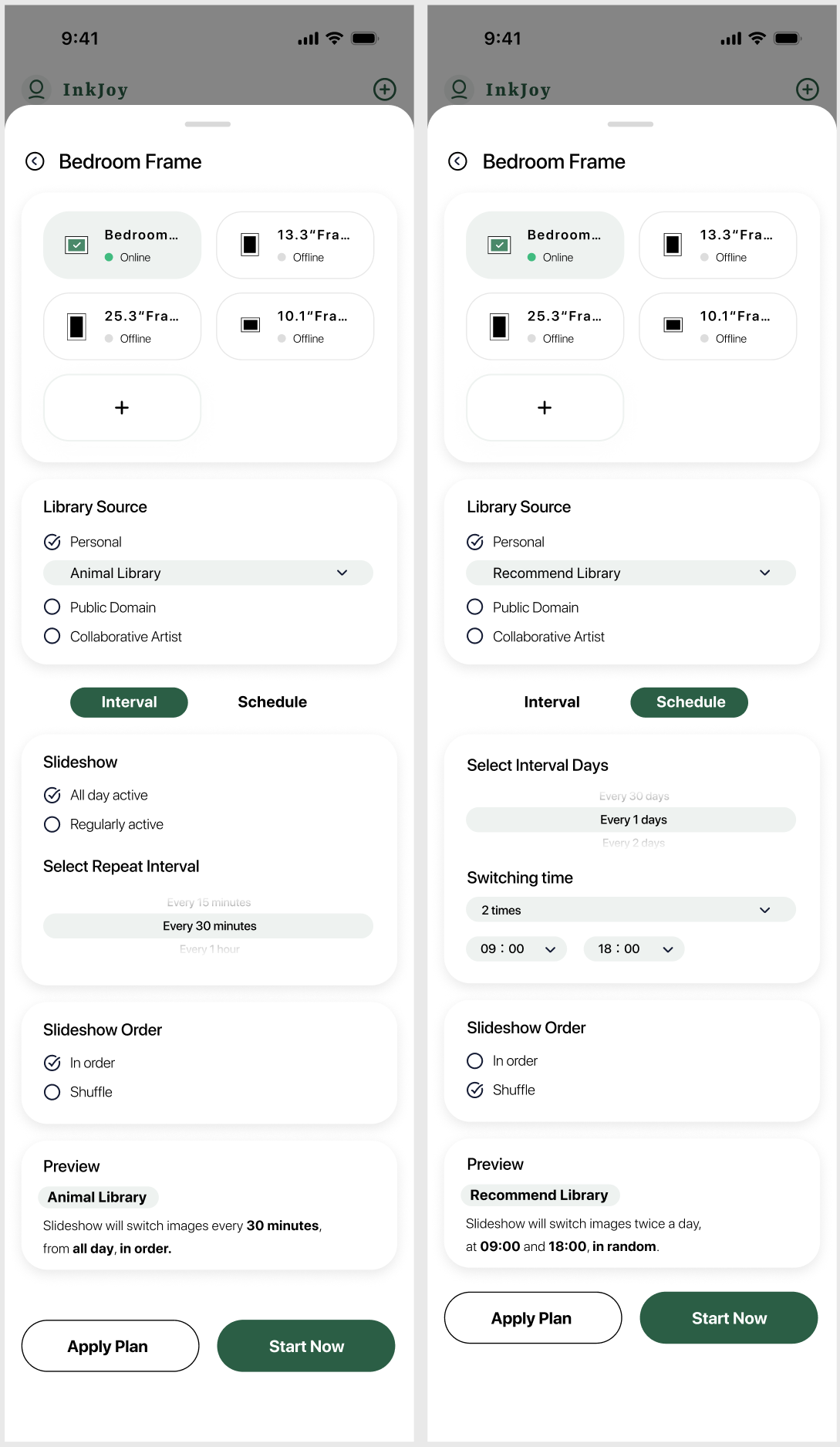
What you can configure
InkJoy currently provides two flexible slideshow modes:
- Interval mode: switch to the next image after a set amount of time. For example, from 9:00 to 20:00 each day, rotate random images from a pet album every 3 hours.
- Schedule mode: choose one or more times each day, or a time every X days, and use a selected official collection or album for random playback.
TIP
Each frame can have multiple slideshow plans, but to avoid conflicts, only one gallery slideshow plan can be active at a time.